Who can edit your Google listing, and why the details change on their own
You never touched it, yet the hours changed and so did the category. Five parties can edit your listing: you, customers through suggested edits, Google's own automatic updates, third-party data sources, and whoever claimed the profile before you. How to tell which one it was, how to change it back, and how to be told next time.
You are not the only one who can edit it
Most owners start from the same assumption: this is my listing, so nobody else can change it. That assumption is wrong.
A Business Profile is not your website. It is closer to a public entry that you happen to be the main caretaker of — not the only party allowed to write in it. By design, any signed-in Google user can suggest a change to any listing, and Google's own systems update some fields on their own. That is deliberate: it keeps map data from rotting when an owner stops paying attention.
So "I never touched it, why did it change" is not a mystery. It is normal product behaviour. The real job is working out who changed it, then deciding whether to change it back.
The five sources of edits
Ordered from common to rare:
You, or another manager. A business partner, a shop manager, a marketing agency you hired three years ago — if the account is still attached to the listing, it can still edit. This is the most common source and the one owners forget first.
A customer's suggested edit. Anyone signed in to a Google account sees "Suggest an edit" on your listing. Changing hours, changing the address, flagging the place as permanently closed — all of it lives behind that link.
Google's automatic updates. Google adjusts certain fields from your own website, from visit patterns, and from holiday calendars. Opening hours and attribute tags are the usual ones.
Third-party data sources. Directories, industry listings and navigation data providers feed into Google. An old phone number you left somewhere years ago can find its way back in.
Someone who claimed the listing. Rarest, and the most damaging. Another account has claimed your location, which means they can edit it too — and can remove you.
How to tell them apart: sign in to your Business Profile and read the notifications and the record of changes to the listing. Google logs each edit with who made it and what changed. If you cannot see that record because you cannot get into the profile at all, skip to the second-to-last section.
If you only want a fast look at what the listing shows right now, paste your Google Maps share link into the Business Profile audit. It asks Google once for the public data and lists the fields one by one: open status, rating, review count, primary category, phone, website, hours, photos. Staring at your own listing, you skim past problems; a field-by-field list does not let you.
How a customer's suggested edit goes live
The surprising part of this one: some suggestions are published without anybody reviewing them.
Google grades suggested edits. Small changes from a trusted source that agree with other data get accepted straight away, and you are notified afterwards. Bigger changes — the address, the name — usually go to a human or algorithmic review, but not always to you for approval.
There is one trap worth naming: anyone can suggest that your business is permanently closed. Once that sticks, your listing is struck through on the map, ranking collapses, the call button disappears — and you might not notice for days. Malicious flagging by a competitor is not common, but it happens.
What to do:
Do not auto-archive Google's notification emails. They are your only real-time warning.
When you find a field changed, sign in and set it back. Your edit as the owner outranks a suggested edit.
Check again a couple of days later. Some suggestions come back, which means a data source behind them keeps pushing.
If you were wrongly marked permanently closed, set it back to open and also post a recent photo of the premises and a new update. That gives the system a reason to believe the place is trading.
Google's automatic updates
This category is not hostile, but you need to know its rules or you will be fighting it forever.
Opening hours are the most-edited field. Google reads the hours on your own website and looks at when customers actually show up. If your site footer still carries hours from three years ago, Google is overwriting correct data with wrong data. Fix the website first, then the listing — otherwise every fix gets overwritten.
Holiday hours: Google prompts you to confirm them. If you never confirm, it shows your normal hours, somebody drives over for nothing, and you collect a one-star review for it. That review is avoidable, and the cost of avoiding it is ten minutes a year.
Attribute tags — parking, step-free access, card payments — come partly from customer answers and partly from Google's inference. Scan them now and then and switch off whatever is wrong.
Google rarely changes the name and category fields on its own, but third-party sources influence both. Getting those two wrong affects far more than what is displayed — it decides which searches you appear in and whether you get suspended. The detail is in Business name and category: get these two wrong and the rest is wasted.
Ownership: three roles, three sets of powers
A lot of trouble starts here: the owner assumes they are the owner, when in fact they are only a manager — or the reverse, they handed ownership to someone without thinking about it.
Primary owner — the most power. Edits every field, adds and removes other people, transfers the listing, deletes it. One per location.
Owner — the same, except they cannot remove the primary owner.
Manager — edits the listing, replies to reviews, posts updates. Cannot add or remove anybody, and cannot transfer the listing.
Three practical rules:
The primary owner must be the owner's own account. Not the shop manager's, not the agency's, not the nephew who is good with computers. People leave, accounts get suspended, and then you cannot get into your own listing.
Give access by adding a manager, never by handing over the password. A manager can be removed in one click. A password cannot be taken back.
Clean the list once a year. Former staff and ex-agencies usually still have access. This is the single most common answer to "I didn't change it, but it changed."
Multiple locations make this messier: give access per location rather than running everything from one account for convenience. The multi-location pitfalls are collected in How to manage Google reviews across multiple locations.
When somebody else has claimed your listing
The symptom is unmistakable. You try to claim your own business and Google tells you the profile is already claimed, showing a masked email such as j••••@gmail.com.
First, look at that masked address and see whether you recognise it. Most of the time it is another account you set up years ago, a former manager's account, or the web agency that built your site. Recovering that account is far quicker than any formal process.
If you genuinely do not recognise it, use Google's request-access flow. You submit a form, Google notifies the current owner, and they have a few days to respond. If they agree, access transfers. If they ignore it, you can pursue the claim once the window closes, normally by submitting evidence that you run the business — a business registration, a photo of the shopfront, a utility bill, an invoice with the address on it.
This route takes time: days at best, weeks at worst. While you wait, do not create a second listing with the same name. That only produces a duplicate, and in the end both listings suffer for it.
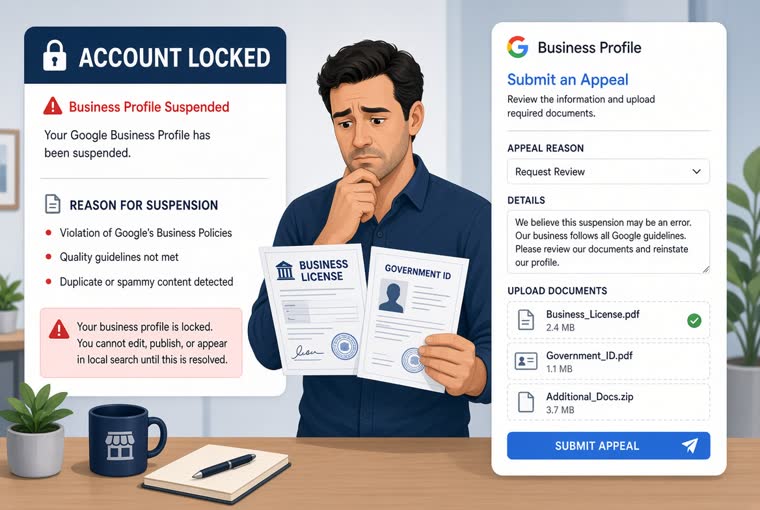
If the listing was not claimed but suspended — the whole thing has vanished from search — that is a different problem with a different fix, and the first step is telling a soft suspension from a hard one. The Suspension appeal helper sorts that out with a few questions and tells you what to fix first and which documents to gather. The full process is in Google Business Profile suspended? What to do.
How to get edited less
You cannot make the listing uneditable. You can reduce how often it happens, and you can make sure you hear about it the same day.
Fill the listing in. Empty fields are the ones other people "helpfully" complete, not always correctly. The more complete the profile, the less the system has to guess and the less weight third-party data carries. Work through the Business Profile completeness checklist — fourteen items, a day or two of work.
Keep the website and the listing in agreement. Name, address, phone, hours, matching in both places. Disagreement is the main reason automatic updates keep overwriting you.
Make sure notifications still reach you. When you change email address or phone number, update the profile's contact details too.
Look at it regularly. Not daily — monthly is enough. The Business Profile audit runs from one pasted link, so you can see what differs from last time.
Keep reviews coming in. This one gets overlooked: a listing with a steady flow of reviews, questions and photos reads as alive to the system, which makes a malicious "permanently closed" flag much harder to land. For keeping that flow steady, see How to ask customers for Google Reviews.
One last thing. Being edited is not the disaster; not noticing for a week is. A wrong field for seven days costs you seven days of calls and visits. Noticing costs you ten minutes a month.
Found this useful? Pass it to someone who needs it.
Business name and category: get these two wrong and the rest is wasted
The name field takes what is on your sign, and the category decides which searches you appear in. These two are the commonest suspension triggers and the two that move ranking most. The three classic ways people stuff the name, how many extra categories to add, and why you must never change both at once.
Read
Account issues
Google Business Profile suspended? What to do
Soft and hard suspensions need different handling. Seven triggers, the full appeal, what evidence to prepare, and three things never to do while waiting.
Read
Multiple locations
How to manage Google reviews across multiple locations
Every branch is a separate Google listing, not one brand page. What head office owns, how to diagnose a branch that scores much lower, and five traps specific to multi-site.