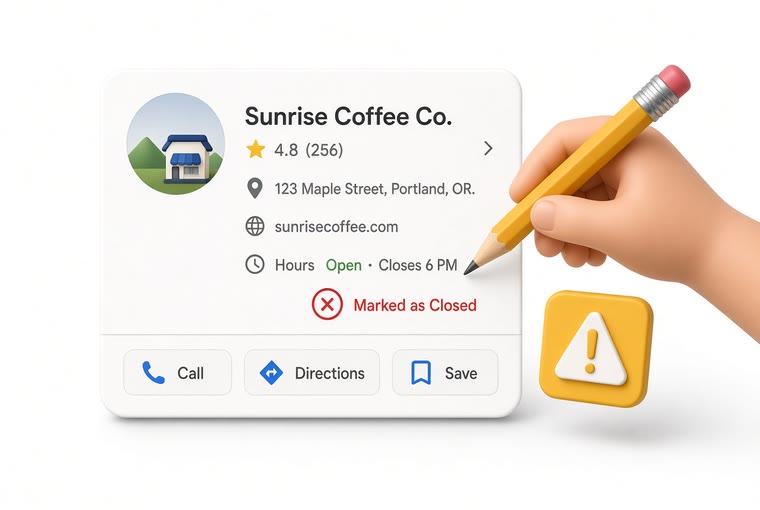
Your listing has vanished from Maps and the dashboard says suspended. Before you fire off appeals, work out which kind of suspension it is - getting that wrong turns two weeks into two months.
Soft suspension vs hard suspension
Get this wrong and everything after it is wasted effort.
Soft suspension: you can still sign in and see the profile, but it no longer appears on Maps or in search. Usually one element was flagged. Recovery is comparatively quick.
Hard suspension: the profile is gone from your account entirely. More serious, and usually about duplicate listings or a substantial violation.
How to tell: visible in Google Business Profile but not on Maps means soft. Missing from your dashboard list altogether means hard.
The seven usual triggers
Too many key edits at once. Changing name, address and category in the same week is the classic trigger.
Keywords stuffed into the business name. "Joe's Diner - Best Breakfast In Town" - the name field takes what is on the sign, nothing more.
A virtual office, a mailbox, or an address shared with other businesses.
A service-area business showing a public address. If you go to the customer, the address must be hidden.
Duplicate profiles for the same place. One made by the owner, one by a franchisee, one by an employee years ago.
Categories that do not match what you actually do.
Somebody reported you. Competitor reports are a real thing.
Three things to do before appealing
Appealing with incomplete evidence makes the second attempt harder. Spend twenty minutes first:
Fix the obvious violations. Strip keywords out of the name, correct the categories, replace a virtual address with the real trading address. Fix first, then appeal - not both at once.
Gather evidence. Business licence, a utility bill, the lease, a photo of the storefront showing the sign and street number, mail with the business name. The name and address must match the profile exactly.
Check for duplicates. Search your own name and address on Maps. If there is a second listing, request a merge before you appeal.
The appeal, step by step
Sign in to Google Business Profile, find the suspension notice, open the appeal form. If you cannot find it, search Google's help pages for reinstatement.
Pick the suspension type and answer honestly. Do not argue or complain in the form - state facts.
Upload evidence. Photos should be sharp, uncropped and unedited; sign and street number in one shot is ideal.
Submit. Once.
How long it takes
Typically 3 to 14 business days. Complicated cases, or ones needing a physical check, can run past a month.
The answer goes to the email on your Google account. Check spam - these notices get misfiled often.
Three things never to do while waiting
Do not submit again. Multiple appeals overwrite each other and send you back to the end of the queue. This is the single most common cause of long delays.
Do not create a replacement profile. That reads as a duplicate and upgrades a soft suspension into a hard one.
Do not keep editing the profile. Reviewers look at the state you submitted; changes make the record inconsistent.
If the appeal is refused
Read the stated reason - the email usually names a broad category. Address that specific point and appeal once more.
Bring harder evidence. Licence plus a matching utility bill plus a storefront photo beats any one of them alone.
Post in the official Google Business Profile support community. Product Experts there resolve edge cases more often than the form does. Include your listing link, the suspension type and what you already submitted.
How to avoid a second one
Change one field at a time, days apart. The most useful rule here, and the least known.
The name field is the sign, nothing else. Put keywords in the description and in posts, where they are allowed.
Keep address and signage consistent. Moving? Update the profile before the move, not after.
Watch for accepted "suggested edits". Google applies edits submitted by strangers, and those can push your profile into a violation without you touching it.
You had 60, this morning there are 47. Google sweeps, competitor flagging, merged listings, banned accounts — five real causes, and which losses you can actually get back.
Read
Compliance
Can you offer a discount for a Google review?
Google prohibits offering anything of value for a review, including handing the invitation only to happy customers. What is banned, who pays, and one sentence that settles it.
Read
Who can edit your listing
Who can edit your Google listing, and why the details change on their own
You never touched it, yet the hours changed and so did the category. Five parties can edit your listing: you, customers through suggested edits, Google's own automatic updates, third-party data sources, and whoever claimed the profile before you. How to tell which one it was, how to change it back, and how to be told next time.
Read
Free right now
Reading it helps. Doing it helps more.
Create an account, add your location, and five minutes later the QR code is printed and sitting on the counter.